> For the complete documentation index, see [llms.txt](https://docs.pavothemes.com/edudeme/llms.txt). Markdown versions of documentation pages are available by appending `.md` to page URLs; this page is available as [Markdown](https://docs.pavothemes.com/edudeme/setting/color.md).
# Color
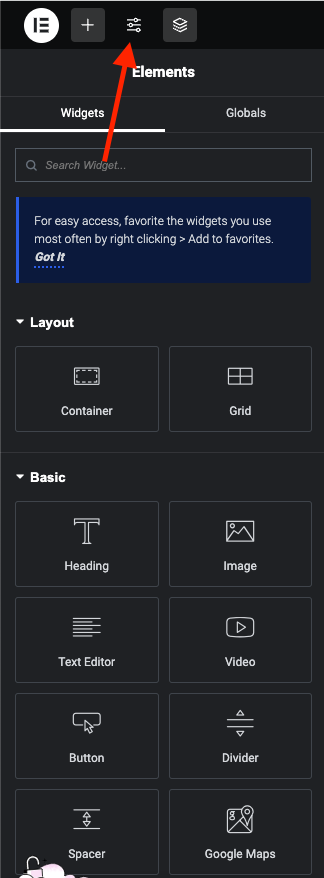
**Step 1** - You can go to the Elementor and edit page.
**Step 2** - Site Settings >> Global Colors >>
**Step 3** - Settings color for your site
1. **Primary Color** is the main color of your site .
* Regular: original color
* Hover : color when hover items
Example: Color Button , Color Link and some other places.
2\. **Body Color** is color of the content text.
Example: Color content, description ... in single blog, single product, page ...
3\. **Heading Color** is color of heading text.
Example: Color Title , Title Tab ...
4\. **Border Color** is color border block.
Example: border product block, border form input and places with borders ...
5\. **Light Color** is color light used for sub description.
Example: Color categories, color date time, color subtitle ...
Note: Color is sometimes used for many special places to see which colors apply correctly to what cases you can select and test.